



 Parental Control
 WhatsApp Tracker
 LINE Tracker
 Phone Surroundings
 GPS Phone Location
 Geofencing App
 Hidden Call Recorder
 Keylogger for Android
 Lock App



ClevGuard Support: Monitor Devices with Others' Permission.
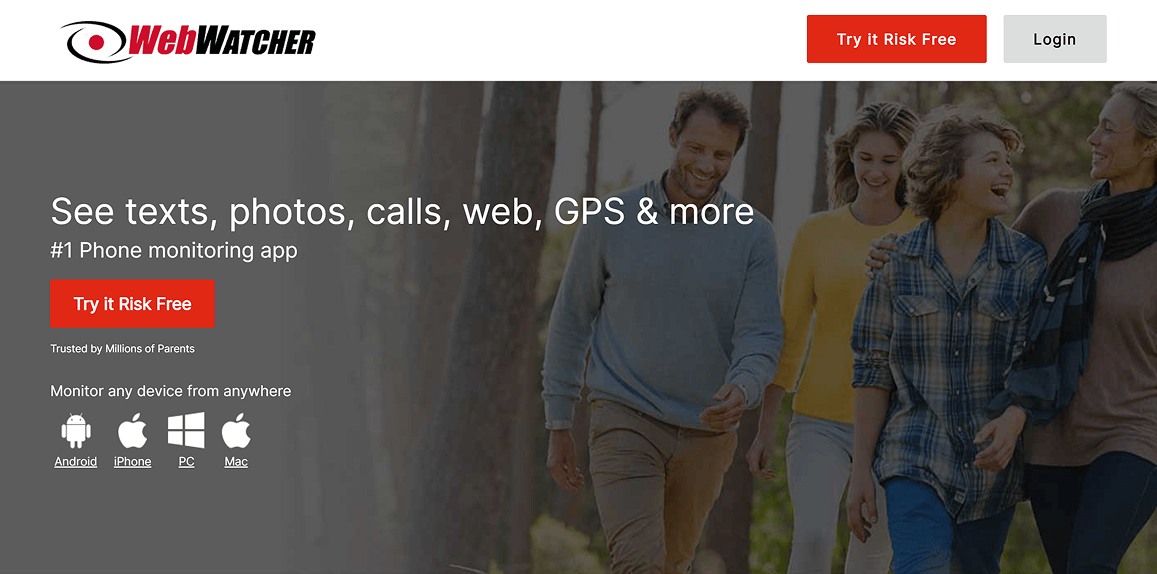
I've been testing parental monitoring software for over three years, and WebWatcher is one of the names that pops up in almost every conversation about phone tracking. Founded in 2002 by Awareness Technologies, it's been around longer than most competitors. I spent three weeks testing WebWatcher across Android, iOS, and Windows devices to see whether this veteran app still holds up against newer options like KidsGuard Pro.
Content List
Part 1: What Is WebWatcher?
Part 2: WebWatcher Features — What Can You Actually Monitor?
- Text Messages and Call Logs
- Social Media Monitoring
- GPS Location Tracking
- Browsing History and Web Filtering
- Screenshots and Keystroke Logging (PC/Mac Only)
Part 3: WebWatcher Pricing — Is It Worth the Cost?
Part 4: The Problems — What Users Are Actually Saying
Part 5: Why Parents Need More Than WebWatcher
Part 6: Is WebWatcher Right for You?
Part 1: What Is WebWatcher?
WebWatcher is a cross-platform monitoring tool designed primarily for parents who want to keep tabs on their kids' digital activities. Unlike newer apps that focus exclusively on smartphones, WebWatcher takes a broader approach — it covers Android phones, iPhones, iPads, Windows PCs, Macs, and even Chromebooks. That's an impressive lineup on paper.
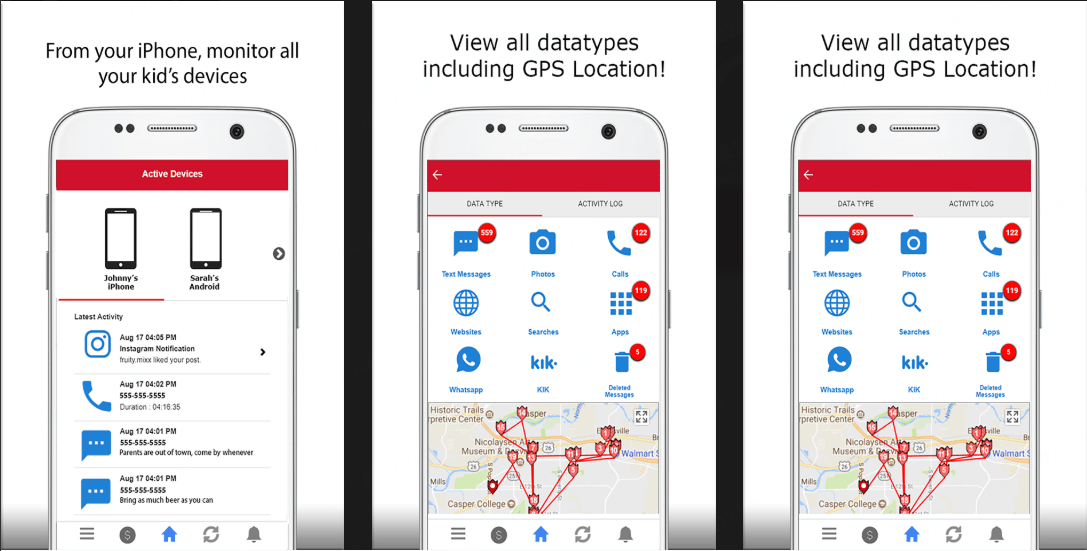
The app runs silently on the target device and uploads recorded data to a secure web-based dashboard. Parents can log in from any browser, on any device, to review their child's text messages, call logs, browsing history, social media activity, and GPS location.
One thing that stands out right away: WebWatcher does NOT require rooting (Android) or jailbreaking (iOS). That's a big selling point for parents who don't want to compromise their child's device security or void warranties. I was able to set it up on a Samsung Galaxy S24 and an iPhone 15 without either process taking more than 10 minutes.
That said, "easy setup" is where the smooth experience starts to fray — more on that later.
Part 2: WebWatcher Features — What Can You Actually Monitor?
Text Messages and Call Logs
WebWatcher captures incoming and outgoing SMS/MMS messages, including deleted texts. On Android, it pulls them directly from the device storage. On iOS, it relies on iCloud syncing, which means there can be delays depending on when the device last backed up.
Call logs show the contact name, phone number, date, time, and duration. The data syncs to your dashboard within a few minutes of the call ending on Android. iOS syncing was noticeably slower in my tests — sometimes taking up to 30 minutes.
Social Media Monitoring
This is where things get complicated. WebWatcher supports social media monitoring for WhatsApp, Facebook Messenger, Instagram, TikTok, Snapchat, Kik, Viber, and Tinder. But the level of access varies wildly by platform:
- Android: You get incoming message text for most platforms, plus screen captures for Snapchat and Instagram stories.
- iOS: You can only see which apps are installed and (for some) receive notification alerts about who messaged your child. You don't get actual message content.
Here's the honest truth: if your kid primarily uses an iPhone, the social media monitoring is basically a notification system, not a true monitoring tool. Android users get significantly more functionality.
GPS Location Tracking
WebWatcher offers real-time GPS tracking and location history displayed on an interactive map. I found the location accuracy to be within 15–20 meters, which is decent but not as precise as some competitors that integrate with Wi-Fi positioning.
The app also supports geofencing — you can define safe zones (school, home, a friend's house) and receive alerts when your child enters or leaves those areas. This worked reliably in my tests, with alerts arriving within 1–2 minutes of a boundary crossing.
Browsing History and Web Filtering
WebWatcher records website URLs, search terms, and browsing timestamps. One unusual feature: it can monitor activity even in Chrome's incognito mode, which most competing apps can't do. The web filtering feature lets parents block inappropriate websites by category (adult content, gambling, violence) or by specific URL.
Screenshots and Keystroke Logging (PC/Mac Only)
On Windows PCs, WebWatcher captures continuous screenshots and records every keystroke. The Mac version includes screenshots but notably lacks keystroke logging. On Android, you get up to 1,000 screenshots per subscription period — after that, you'd need to purchase additional credits.
| Feature | Android | iOS | Windows PC | Mac |
|---|---|---|---|---|
| SMS/MMS (incl. deleted) | ✅ | ✅ | ❌ | ❌ |
| Call logs | ✅ | ✅ | ❌ | ❌ |
| Social media messages | ✅ (incoming) | ⚠️ Notifications only | ❌ | ❌ |
| GPS location | ✅ | ✅ | ❌ | ❌ |
| Geofencing alerts | ✅ | ❌ | ❌ | ❌ |
| Browsing history | ✅ | ✅ | ✅ | ✅ |
| Screenshots | ✅ (1,000 limit) | ❌ | ✅ | ✅ |
| Keystroke logging | ❌ | ❌ | ✅ | ❌ |
Part 3: WebWatcher Pricing — Is It Worth the Cost?
WebWatcher pricing is structured per device, which means costs add up quickly if you're monitoring multiple children.
| Plan | Price | Cost per Month | Best For |
|---|---|---|---|
| Monthly | $39.95/month/device | $39.95 | Short-term testing |
| Quarterly | $59.95/3 months/device | $19.98 | Medium-term use |
| Annual | $129.95/year/device | $10.83 | Long-term monitoring |
There's also a 7-day free trial that lets you explore the dashboard before committing. No credit card is required for the trial itself, but you'll need one to continue after the trial expires.
A few things to keep in mind about the pricing:
- Each plan covers only ONE device. If you have two kids with phones plus a family PC, you're buying three separate subscriptions.
- The "starting at $10.83/month" headline price requires the annual plan on a single device. Real-world costs for a family with two phones and a computer sit closer to $32.49/month.
- Refund policy is strict. WebWatcher only offers refunds for technical issues where their support team can't resolve the problem. "I didn't like it" or "my child found out" doesn't qualify. Multiple user reviews mention difficulty getting refunds even when the software failed to work as advertised.
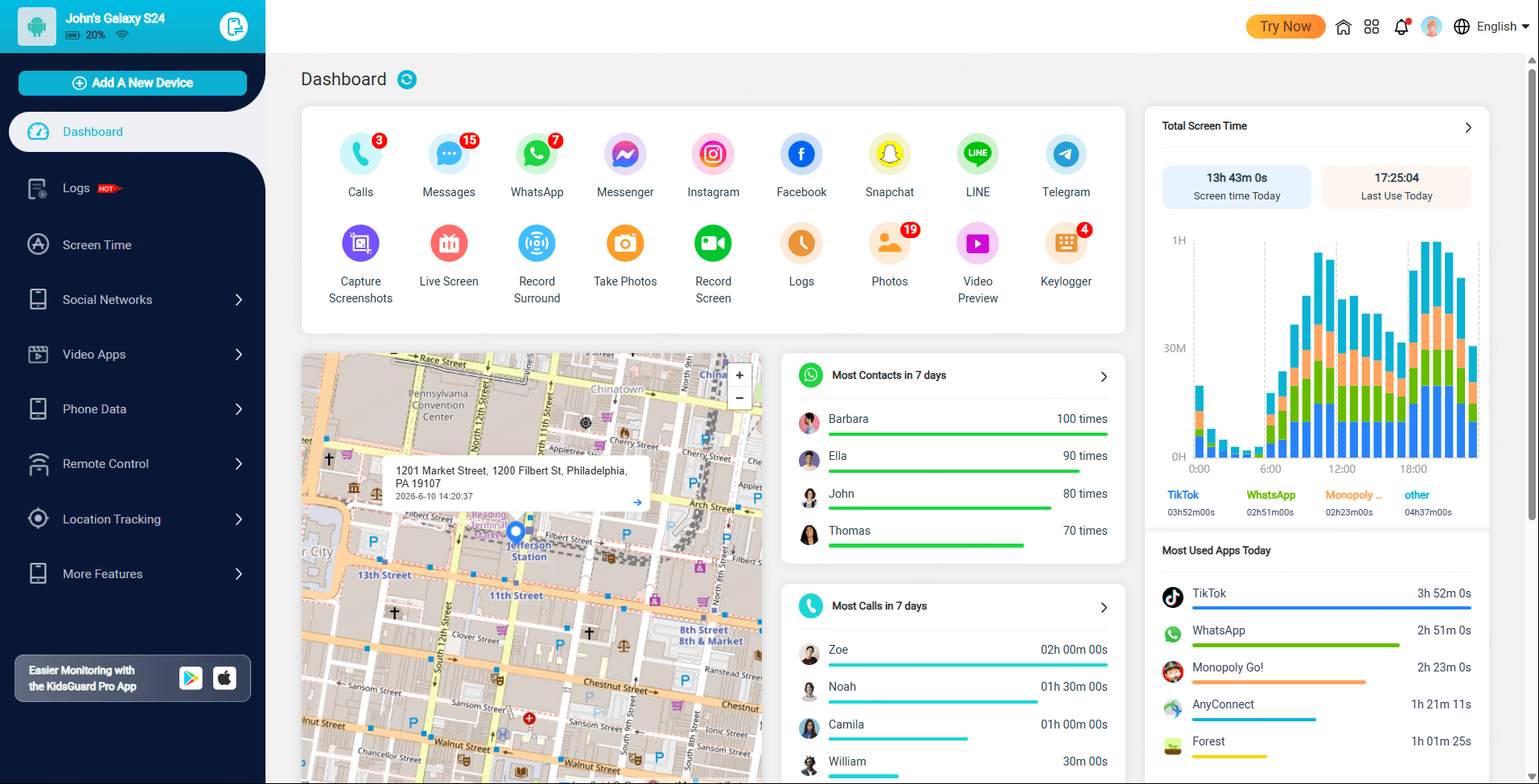
Compared to KidsGuard Pro's pricing ($11.66/month for an annual plan covering one device), WebWatcher's entry price looks similar on paper. But KidsGuard Pro offers significantly more features for mobile monitoring — WhatsApp deep monitoring, remote screen recording, environment recording, and social media coverage that actually lets you read message content on both Android and iOS.
Part 4: The Problems — What Users Are Actually Saying
During my research, I read through hundreds of user reviews on Trustpilot, Reddit, and app stores. The picture that emerged wasn't pretty.
Reliability issues: Many users report that features work intermittently. The keystroke logger stops after a few days. Social media monitoring captures data for a week, then goes silent. The dashboard sometimes takes hours to sync. One Trustpilot reviewer described it as "a coin toss whether anything works when you open the app."
Customer support: This is the most consistently criticized aspect. Users report waiting days or even weeks for email responses. Phone support exists but often transfers callers without resolving issues. Multiple reviewers mentioned submitting 10–15 support tickets without receiving a single meaningful reply.
Antivirus conflicts: Several antivirus programs (Norton, McAfee, Bitdefender) flag WebWatcher as potentially unwanted software. You may need to whitelist it or temporarily disable security software during installation, which defeats the purpose of a "stealth" monitoring tool.
Installation hassles on iOS: Despite the "no jailbreak required" claim, iOS setup requires the target device to be on the same Wi-Fi network as the monitoring computer, and you need physical access to both devices during configuration. This isn't the true "remote install" that many parents expect.

KidsGuard Pro — Complete Phone Monitoring Solution
- Real-time location tracking: Track cell phone locations in real-time with access to location history and places visited.
- Social media monitoring: Monitor WhatsApp, Snapchat, Instagram, Facebook, Discord, Skype, and more.
- Call & message logs: View complete call history, text messages, and contact lists remotely.
- Geofencing alerts: Get instant alerts when the target enters or exits predefined safe areas.
- Stealth mode: Runs invisibly on the target device without detection.
Part 5: Why Parents Need More Than WebWatcher
WebWatcher does a decent job as a basic monitoring tool — if you only need SMS tracking, call logs, and browsing history on an Android device. But for modern parenting challenges like cyberbullying on Snapchat, predatory contact on Instagram, or secret conversations on Discord, it falls short in critical ways.
iOS social media monitoring is essentially non-functional — you get app installation notifications and little else. Given that over 60% of US teenagers use iPhones, this is a significant gap.
No real-time monitoring features: No live screen viewing, no remote camera access, no environment recording. You're always looking at data that was captured minutes or hours ago, not what's happening right now.
No keyword alert system: Modern parental monitoring tools like KidsGuard Pro can flag specific keywords in messages and alert you instantly. If your child receives a message containing threats, explicit content, or suspicious contact information, you want to know immediately — not the next time you check the dashboard.
Here's how WebWatcher stacks up against KidsGuard Pro for the most common monitoring needs:
| Monitoring Need | WebWatcher | KidsGuard Pro |
|---|---|---|
| SMS + Call logs | ✅ | ✅ |
| WhatsApp message content | ⚠️ Incoming only | ✅ Full access |
| Instagram/Snapchat messages | ⚠️ Notifications (iOS) | ✅ Screenshots + messages |
| Real-time GPS | ✅ | ✅ |
| Remote screen capture | ❌ | ✅ |
| Environment recording | ❌ | ✅ |
| Keyword risk alerts | ❌ | ✅ |
| Geofencing | ✅ (Android only) | ✅ All platforms |
| Stealth reliability | ⚠️ Detected by antivirus | ✅ Undetectable |
| Price (annual, 1 device) | $129.95/year | $139.99/year |
For parents who need comprehensive, reliable monitoring — especially on iPhones — KidsGuard Pro delivers significantly more value for roughly the same annual cost.
Part 6: Is WebWatcher Right for You?
WebWatcher might work for you if:
- You're monitoring an Android device only and primarily need SMS, calls, and browsing history
- Your child doesn't use social media heavily, or you accept that you won't see actual message content
- You only need to monitor one device and don't mind the per-device pricing
- You're comfortable troubleshooting technical issues on your own
WebWatcher is probably NOT the right choice if:
- Your child uses an iPhone as their primary device — social media monitoring is too limited
- You need real-time alerts for risky content or contacts
- You're monitoring multiple devices — costs multiply quickly
- You expect reliable customer support when something goes wrong
If you fall into the second category, KidsGuard Pro offers a more complete monitoring solution with better iOS support, real-time features, and a free online demo so you can see exactly what you're getting before you buy.
FAQs
1. Is WebWatcher legal to use?
Yes, WebWatcher is legal when used to monitor devices you own or have legal authority over, such as your child's phone. However, using it to monitor an adult without their consent may violate federal and state wiretapping laws. Always check your local regulations.
2. Does WebWatcher work without the target phone knowing?
WebWatcher is designed to run discreetly, but it can be detected by antivirus software on the target device. On Android, a savvy teenager who checks their installed apps or runs a security scan may find it. True stealth monitoring is difficult to guarantee.
3. Can WebWatcher monitor Snapchat and Instagram?
Partially. On Android, WebWatcher can capture screenshots of Snapchat activity and view incoming Instagram messages. On iOS, it can only confirm that the apps are installed and send notification alerts when messages arrive — it cannot show actual message content.
4. Can I get a refund from WebWatcher?
WebWatcher offers a refund only if the software fails to function due to a technical issue that their support team cannot resolve. Many users have reported difficulty obtaining refunds even under these conditions. Read the refund policy carefully before purchasing.
5. What's the difference between WebWatcher and KidsGuard Pro?
KidsGuard Pro offers deeper social media monitoring (especially on iOS), real-time screen capture, environment recording, and keyword-based risk alerts. WebWatcher has broader platform support (PC, Mac, Chromebook) but weaker mobile social media capabilities. For detailed feature comparisons, check our full monitoring app reviews.


