


 Parental Control
 WhatsApp Tracker
 LINE Tracker
 Phone Surroundings
 GPS Phone Location
 Geofencing App
 Hidden Call Recorder
 Keylogger for Android
 Lock App
Live view when you need it
Open your viewing phone for a current look at the room instead of buying another camera display.





ClevGuard Home Monitor
A second life for your spare phone
Check on pets, babies, rooms and small indoor spaces from another device. No new camera hardware required.
LIVEUse an old phone as a flexible indoor camera for the moments that need a quick, practical check-in. Choose a daily scene to see what matters in context.
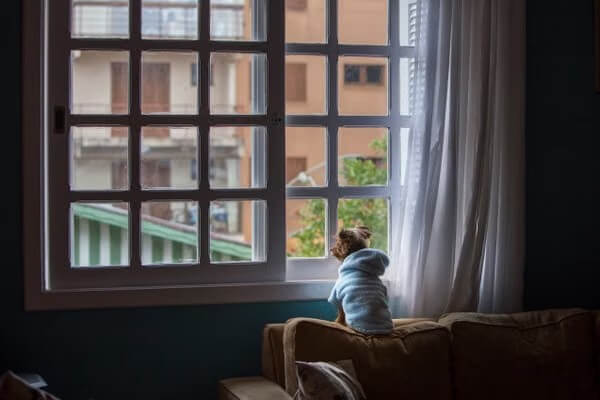
See whether your pet is settled or active without adding another dedicated camera.
Live room viewTwo phones are enough: one stays in the room as the camera, and the other stays with you for viewing.
Position the spare phone with a clear view, stable power and ventilation. Keep it out of reach of children and pets.
Follow the in-app connection flow so the phone you carry can access the room camera.
Open the viewer when you need a quick look, and confirm that the camera phone remains online and powered.
LIVE✓ Wi-Fi connected
✓ Power connected
ⓘ Exact pairing and feature availability depend on the released ClevGuard app and supported device versions.
Designed around daily life
A lightweight home monitoring setup should feel familiar, useful and clear about what it can do.
Open your viewing phone for a current look at the room instead of buying another camera display.
Reuse a familiar iPhone or Android phone as the camera device, subject to app compatibility.
Move the setup between a pet area, baby room, entrance or small workspace as your routine changes.
Check that the camera phone is online, powered and positioned correctly before relying on the view.
Look in when it matters without turning everyday monitoring into constant screen watching.
Privacy, consent and adult supervision remain part of every recommended setup.
Monitor responsibly
Responsible indoor monitoring is not just about seeing the room. It means knowing who can view it, whether the device is connected and when human attention is still required.
Tell people who may appear on camera and never monitor a space you are not permitted to view.
Use device locks, unique passwords and current operating-system updates on the camera and viewer.
Confirm the camera is online, powered and unobstructed. A missing view should never imply that everything is safe.
Use the picture as supporting information, not as a substitute for adult care or an on-site response.
FAQ about
Yes. Install a compatible app, connect the spare phone to Wi-Fi and place it where it has a clear, stable view. Exact compatibility depends on the phone, operating system and app version.
Usually no. A stable Wi-Fi connection is enough for indoor viewing, subject to your app and network setup.
It can provide a convenient supporting view from another room. It is not a medical device and must not replace attentive adult supervision or certified equipment where required.
Use a stable mount near power, with ventilation and a clear view. Keep cords and the device out of reach of children and pets, and never place it inside a crib.